AOVOPRO: Bluetooth dashboard and control for AOVO scooters
AOVOPRO by Shenzhen high-end manufacturing Co.Ltd is a companion app for managing AOVOPRO electric scooters. It connects over Bluetooth to display live telemetry, including speed, battery level, voltage and mileage, and to let riders adjust performance modes and cruise settings. The app also provides electronic locking, headlight control, and over-the-air firmware updates alongside multi-language support. Owners who want device-level control and telemetry will find targeted management tools here.
What the app reports live and how it connects
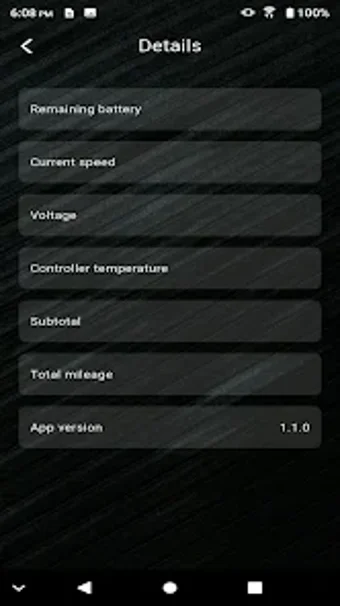
The app uses Bluetooth to pair with the scooter and presents a real-time dashboard for ride monitoring. Key telemetry shown in the interface includes:
- current speed and total mileage
- battery percentage and voltage readouts
- on-screen status indicators for lights and cruise
How reliable the connection and stability are in practice
The application requires Bluetooth 4.0 or higher for vehicle connectivity and the interface attempts automatic discovery when opened. Some users report pairing failures and app crashes after software updates, so connectivity consistency is a documented limitation. The published troubleshooting step is restarting the app and the scooter, which can restore the link in many cases but does not remove the risk of interrupted remote control during a ride.
Who can operate advanced controls and the safety considerations
The app exposes performance controls such as selectable speed gears, cruise settings, lighting controls, and an electronic lock, plus integrated firmware installation. Casual riders can use the live dashboard and the lock without specialist skill, while adjusting speed parameters or applying firmware updates requires a basic understanding of the scooter’s behaviour and caution, because those actions change device-level settings.
Practical choice for hands-on owners who accept some connectivity trade-offs
AOVOPRO suits riders who want direct, device-level supervision and are comfortable managing paired hardware. Reported pairing instability and occasional crashes after updates reduce dependability for those who need flawless remote control. For technicians and committed owners who can tolerate intermittent connectivity and perform basic troubleshooting, the app is a useful companion. Recommended.